Developer Cache Cleaner
Clean the cruft.
Keep what matters.
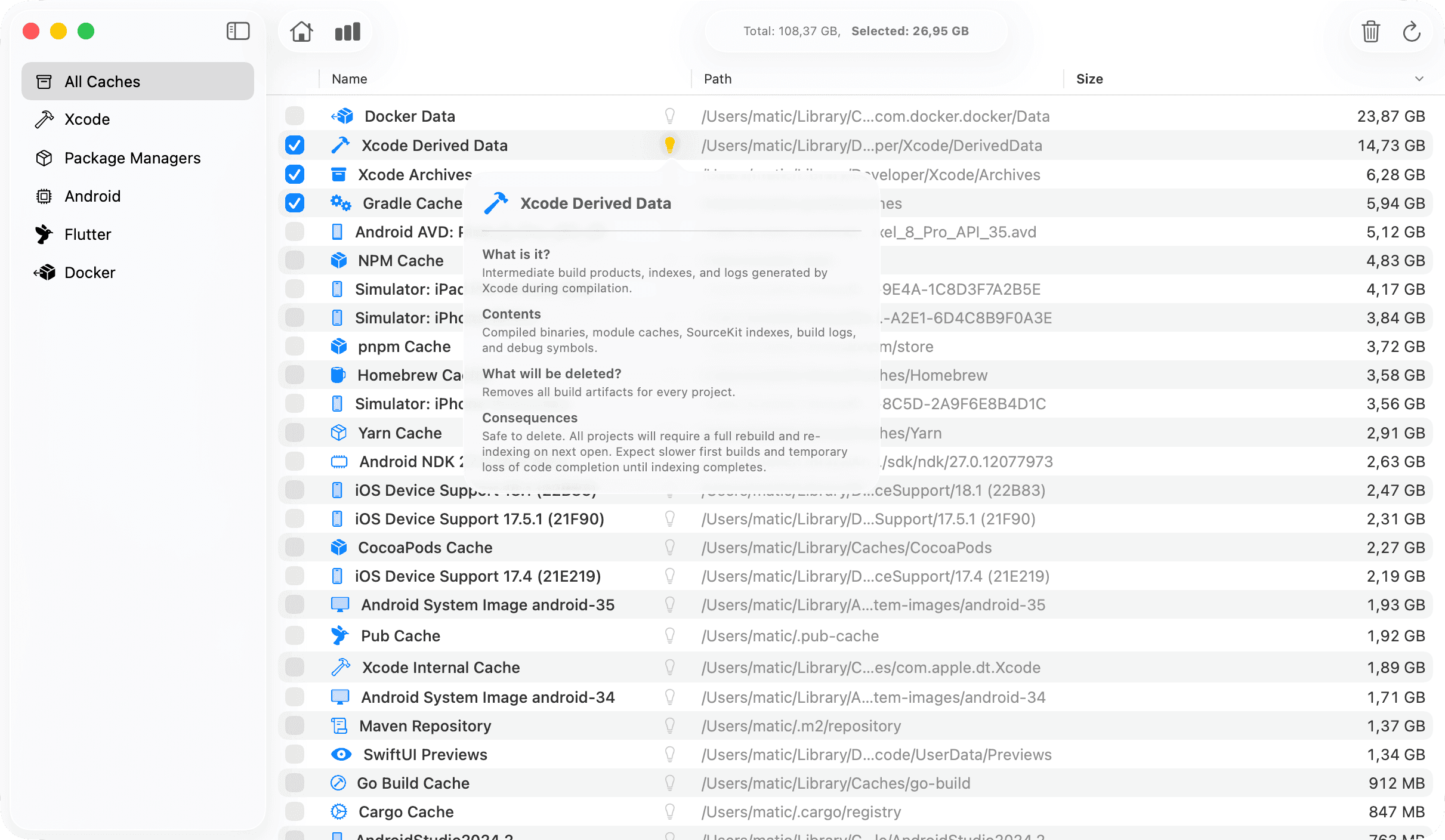
Xcode, npm, CocoaPods, Homebrew — your tools leave behind gigabytes of cached files. Cruft finds and removes them safely. All processing stays on your Mac.
Universal build for Intel and Apple Silicon · macOS 14.0+
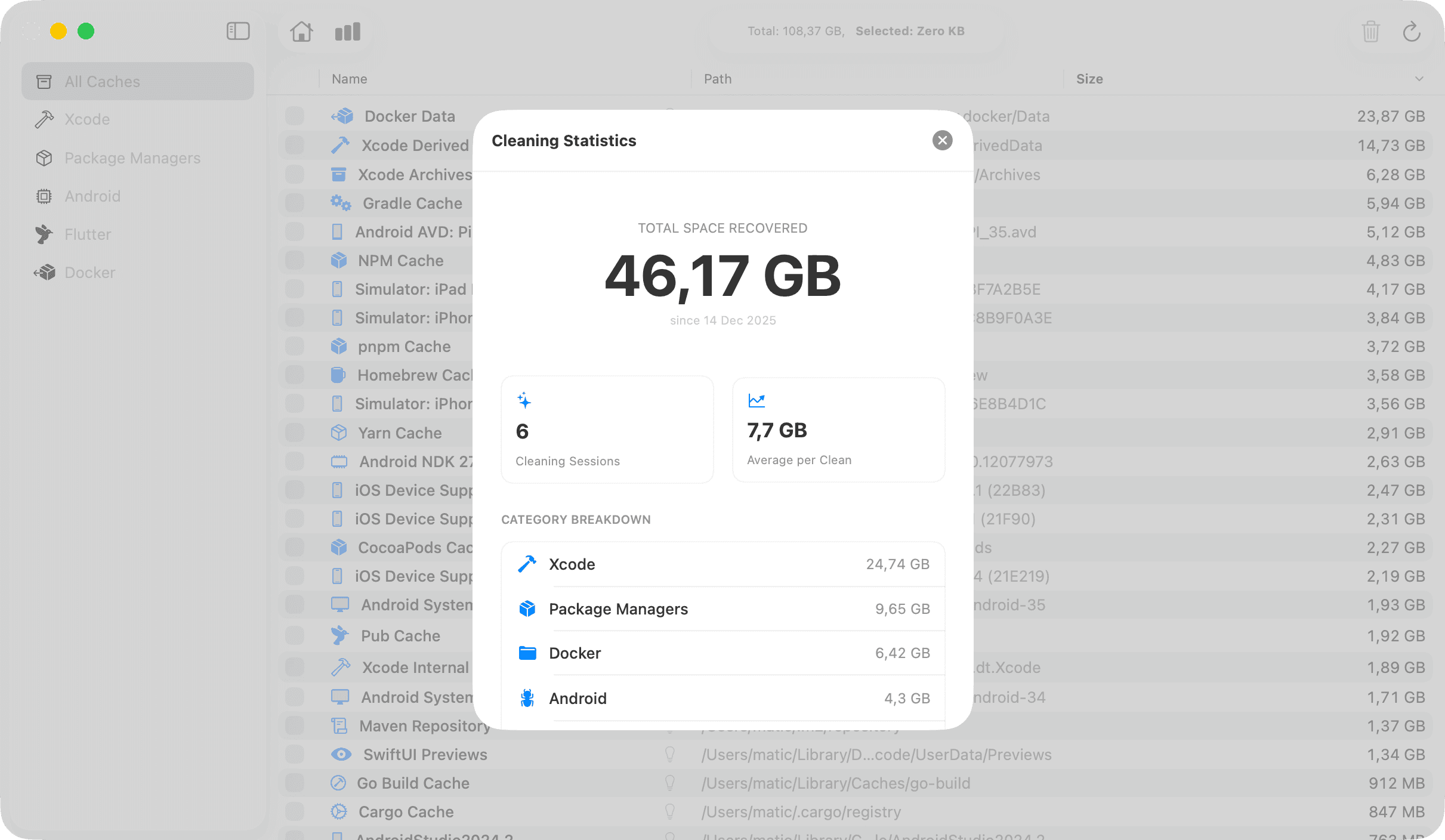
50+ GB
Average space recovered
23
Cache types supported
few sec
Scan time
100%
Private & local
What Cruft cleans
Every development tool leaves behind caches. Cruft knows where they hide.
Xcode
DerivedData, archives, device support files, and simulators
Typically 10–50 GBnpm / yarn / pnpm
node_modules folders, package caches, and global installs
Typically 5–30 GBCocoaPods
Pod caches, repo indexes, and build artifacts
Typically 2–10 GBHomebrew
Downloaded packages, old versions, and build caches
Typically 2–15 GBDocker
Unused images, dangling volumes, and build cache
Typically 5–100 GBAnd more
Gradle, Android Studio, Flutter, cargo, and others
Typically VariesPrivacy First
Your files stay
on your Mac.
Cruft runs entirely on your device. No cloud processing. No data collection. No account required. Your development environment remains completely private.
- Zero network requests for scanning
- No telemetry or analytics
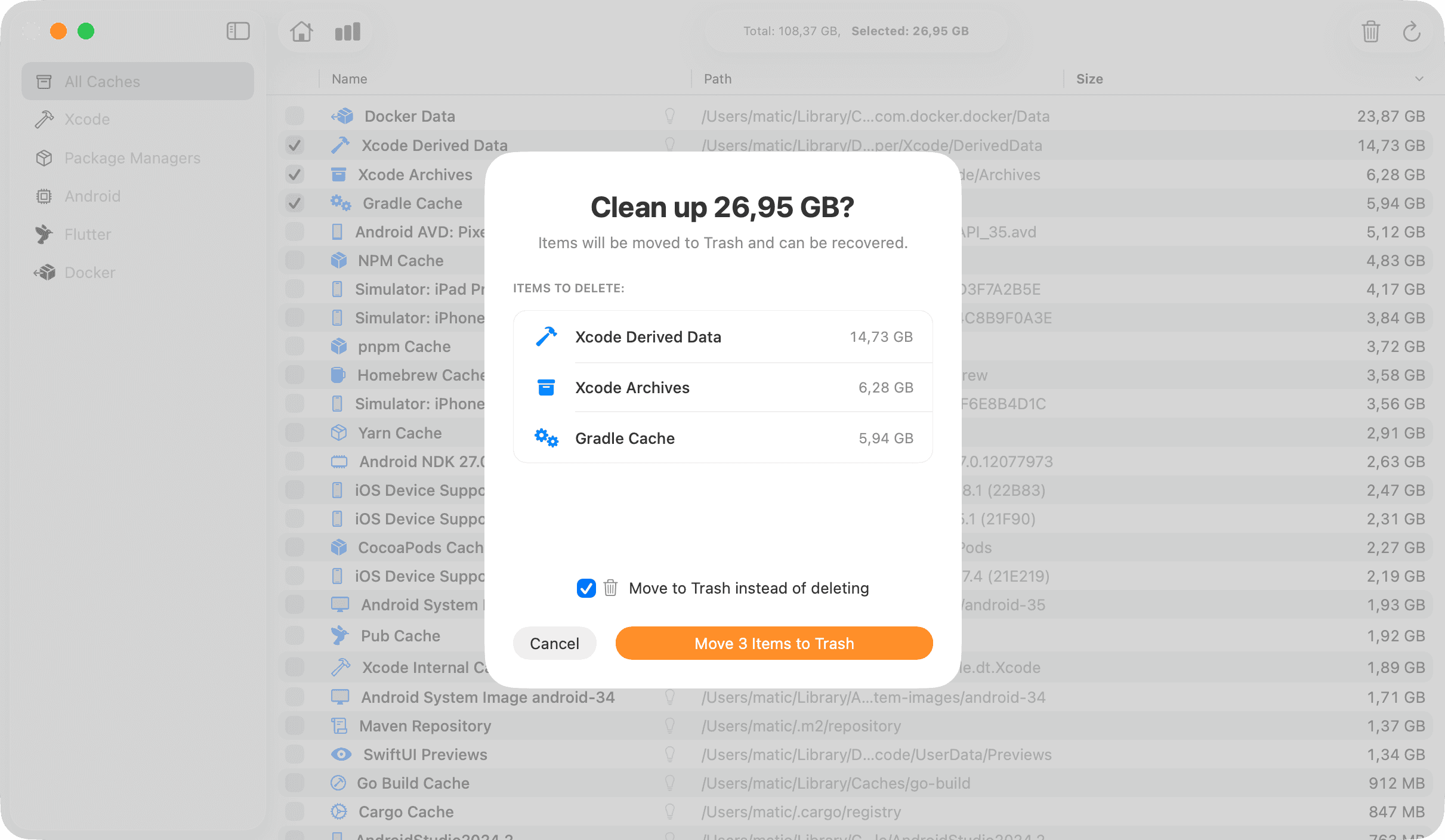
- Files moved to Trash for recovery
- Open about what we access
Simple as 1, 2, 3
No setup required. Just scan, review, and clean.
Scan
Cruft scans your entire system in under a second.
Review
See exactly what's taking space and select what to remove.
Clean
One click to clean. Files go to Trash for easy recovery.
One-time purchase
$9.99
Pay once, own forever. Free updates included.
Cruft
Requires macOS Sonoma 14.0 or later
Secure payment via Stripe
"Recovered 67 GB in 10 seconds. This should be pre-installed on every developer's Mac."— Senior iOS Engineer at a Fortune 500 company
Questions? Answers.
Everything you need to know about Cruft.
How is this different from other cleaning apps?
Most cleaning apps scan your entire disk and dump the whole filesystem on you - leaving you to figure out what's safe to delete. Cruft is different: it shows only what CAN be deleted safely. No guesswork, no anxiety about breaking something important.
Is it safe to delete these caches?
Yes. Cruft only targets regenerable caches and build artifacts. Your source code, projects, and important data are never touched. When you rebuild a project, these caches are automatically recreated.
What if I need the files back?
You choose: move files to Trash for easy recovery, or permanently delete them instantly. If you opt for Trash, you can restore anything until you empty it yourself.
Is this a subscription?
No. Cruft is a one-time purchase of $9.99. You own it forever, and all future updates are included at no extra cost.
Will cleaning caches slow down my workflow?
Only temporarily. The next time you build a project, the necessary caches will be regenerated. Most developers find the freed disk space far outweighs a slightly longer first build.
Does Cruft need Full Disk Access?
No. Cruft doesn't require Full Disk Access or any special permissions. It only accesses developer caches in standard locations that are already available to your apps.
What macOS versions are supported?
Cruft requires macOS Sonoma 14.0 or later. It's a native Swift app built specifically for modern Macs.
What if I want to clean a cache type that's not supported yet?
Drop us a line at [email protected] with your request. We're always looking to add new cache types and will try to include it in a future update.